Inline Widget
The inline widget embeds the chat interface directly into your webpage content, allowing visitors to interact with PrimePilot agents without leaving the page.
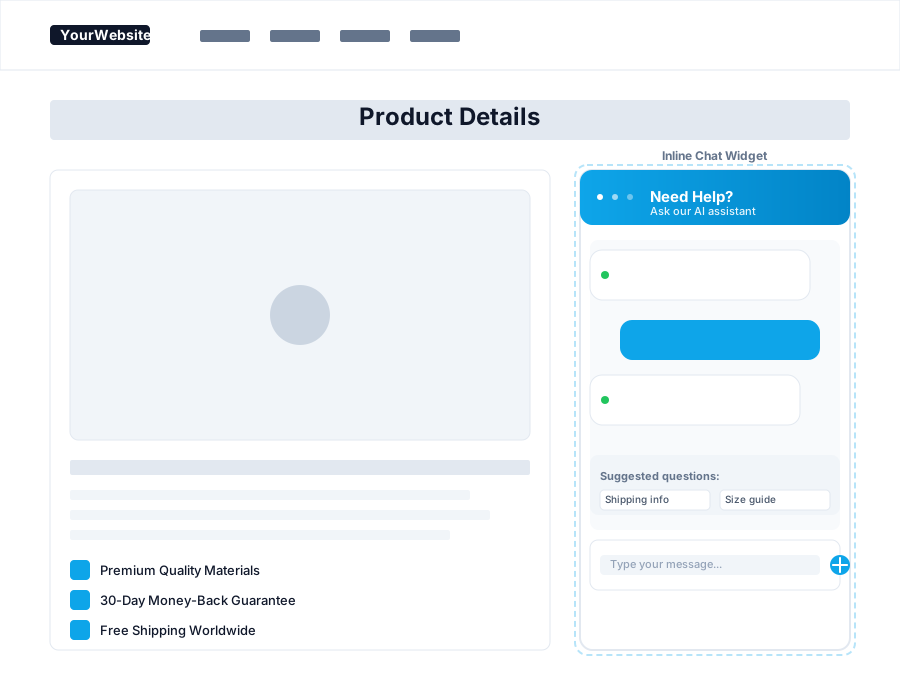
Features
The inline widget provides:
- Seamless integration: Embeds directly into your page layout
- Customizable placement: Position anywhere within your content
- Flexible sizing: Adjust width and height to match your design
- Contextual chat: Perfect for product pages, help sections, or support areas
- Responsive design: Adapts to different screen sizes
Integration
To add the inline widget, place a container div where you want the chat to appear and include the widget script. The chat interface will render within that container, seamlessly blending with your website's design.
The inline widget is ideal for embedding chat functionality within specific page sections, such as product pages, documentation, or support articles, where context-aware assistance enhances the user experience.