Creating Squads
Squads can be created in the squad catalog page. From there, you can select the agents you want to include in your squad and configure the orchestration settings.
Agent Selection for Squads
Squads need to be designed in a way that they serve a particular purpose. Agent selection should be based on the use case.
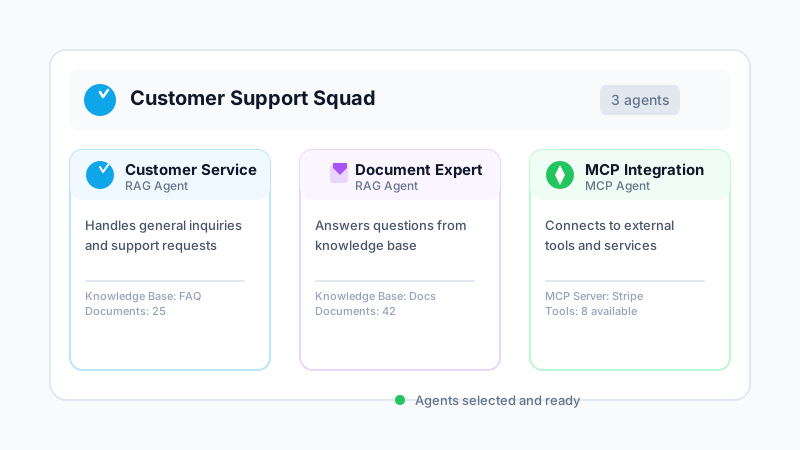
Mixing and matching different kinds of agents will give you the ability to fine-tune your squad's behavior and capabilities. For example, you might combine a RAG agent for knowledge retrieval with an MCP agent for external tool access.
Be careful when you share the same agent among multiple squads, because changes to the agent will affect all squads that use it. Consider creating separate agent instances if you need different configurations for different squads.
Orchestration and Workflows
In addition to the agent capabilities, squads have orchestration and workflow capabilities. PrimePilot supports workflow orchestration via squad, and advanced workflow design can also be delivered through Custom AI Solutions.
Custom AI Solutions can include simple or sophisticated orchestration patterns from AI Agent Orchestration Patterns, packaged into workspaces tailored to your business.